

Open Settings → Company Settings → Profile. You need the Manage Settings permission to change this tab. Other roles see a read-only message.
Visual Walkthrough
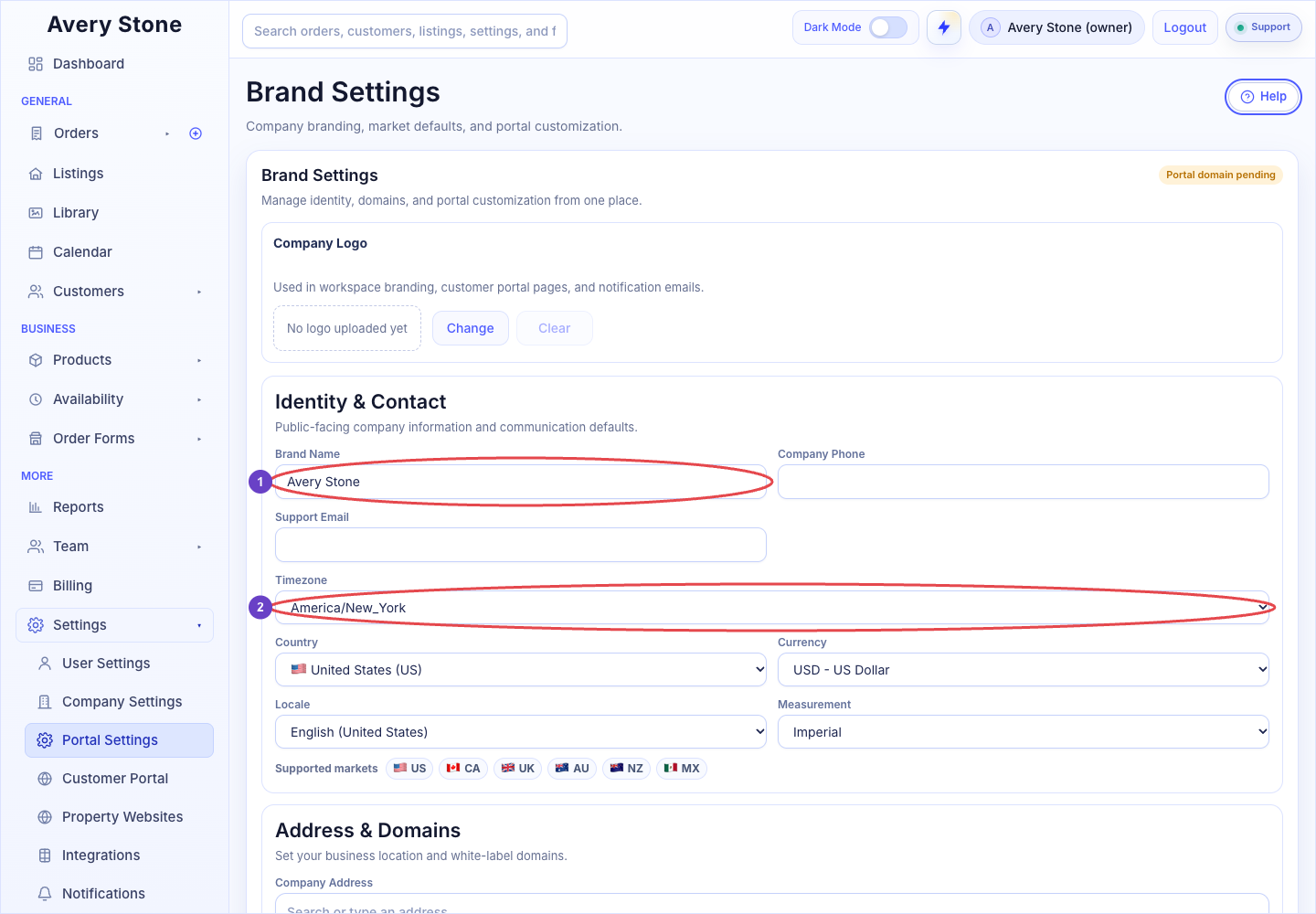
Brand Settings: 1 Brand Name; 2 Timezone. The Avery Stone Demo workspace is shown; your saved values and available controls may differ. Open the Full-Size Image.
Branding
The Branding panel sets the workspace brand used by portals, order forms, property websites, and shared fallback branding.
- Workspace Logo: the fallback logo used whenever a customer team has not uploaded its own logo. Use Change to upload and Clear to remove it.
- Brand Name, Body Font Family, Heading Font Family, and Base Font Size (px): typography and naming for branded surfaces. Body fonts include Space Grotesk, Plus Jakarta Sans, Poppins, Montserrat, Lato, Avenir Next, Merriweather, and Georgia. Heading fonts include Sora, Space Grotesk, Montserrat, Poppins, Playfair Display, and Merriweather.
- Reset Defaults restores the default palette and fonts in the form. Select Save Branding to keep any change.
A live preview shows how the workspace brand appears.
Portal Branding and Company Details
| Field | What It Controls |
|---|---|
| Company Logo | Appears in the client portal header and in customer-facing emails when branding is enabled. |
| Company Name | Your business name on invoices, emails, portals, and order forms. |
| Company Phone | The contact number shown to customers. |
| Company Address | Your business address. |
| Website Domain | Your public website address. |
| Support Email | Where customer replies and support questions should go. |
| Timezone | The default timezone for scheduling and timestamps. |
| Country | United States, Canada, United Kingdom, Australia, New Zealand, or Mexico. Some features depend on country. For example, FAA TFR Notifications is available only for United States workspaces. |
| Currency | USD, CAD, GBP, AUD, NZD, or MXN. Used for prices and payments. |
| Locale | Date and number formatting, such as English (United States), French (Canada), or Spanish (Mexico). |
| Measurement | Imperial or Metric. |
Select Save Company Settings.
Good to Know
- Change Currency and Country before you start taking orders. Existing records are not converted.
- A clear Support Email reduces missed customer replies, because notification emails point customers there.