

Open Availability → Booking Settings: "Set how soon customers can book, how times appear, and how much spacing is kept between appointments."
Visual Walkthrough
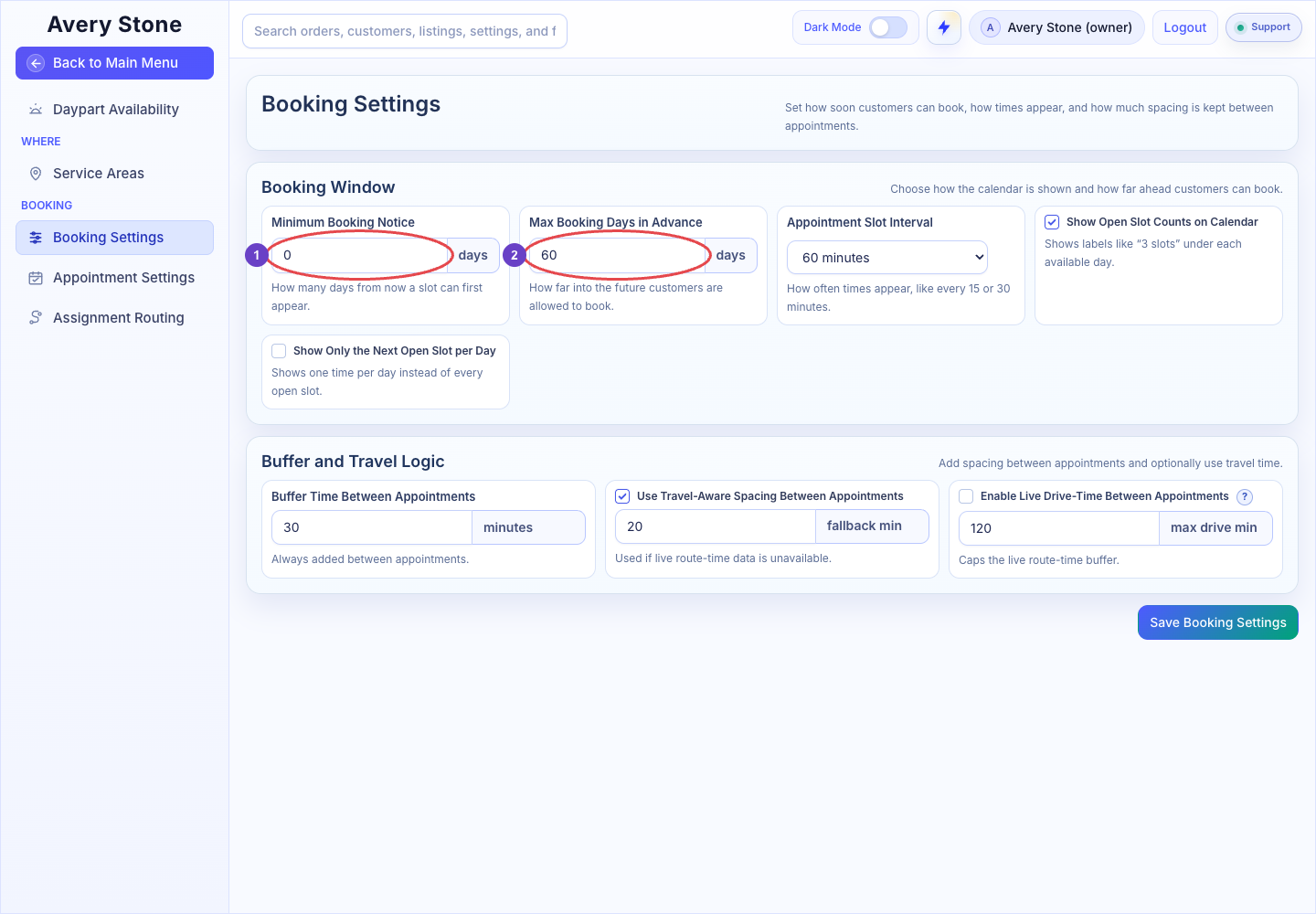
Booking Settings: 1 Minimum Booking Notice; 2 Maximum Booking Window. The Avery Stone Demo workspace is shown; your saved values and available controls may differ. Open the Full-Size Image.
Booking Window
| Setting | What It Does | Options |
|---|---|---|
| Minimum Booking Notice | How many days from now a slot can first appear. | Days |
| Max Booking Days in Advance | How far into the future customers can book. | 7, 14, 21, 30, 45, 60, 90, 120, 180, or 365 days |
| Appointment Slot Interval | How often start times appear. | 15, 30, 45, 60, 90, or 120 minutes |
| Show Open Slot Counts on Calendar | Shows labels like "3 slots" under each available day. | On/Off |
| Show Only the Next Open Slot per Day | Shows one time per day instead of every open slot. | On/Off |
Buffer and Travel Logic
| Setting | What It Does |
|---|---|
| Buffer Time Between Appointments | Always added between appointments: 0 to 180 minutes. |
| Use Travel-Aware Spacing Between Appointments | Adds travel time between appointments. The fallback min value is used if live route-time data is unavailable. |
| Enable Live Drive-Time Between Appointments | Uses live route time. max drive min caps the live route-time buffer. |
Select Save Booking Settings.
Example
With Minimum Booking Notice of 1 day, Max Booking Days in Advance of 30, a 30-minute Appointment Slot Interval, and a 15-minute buffer, a customer booking on Monday sees times starting Tuesday through the next 30 days, every 30 minutes, with at least 15 minutes kept between appointments.