

Open Availability → Appointment Settings: "Manage self-service changes, reminders, cancellation fees, and same-day distance rules."
Visual Walkthrough
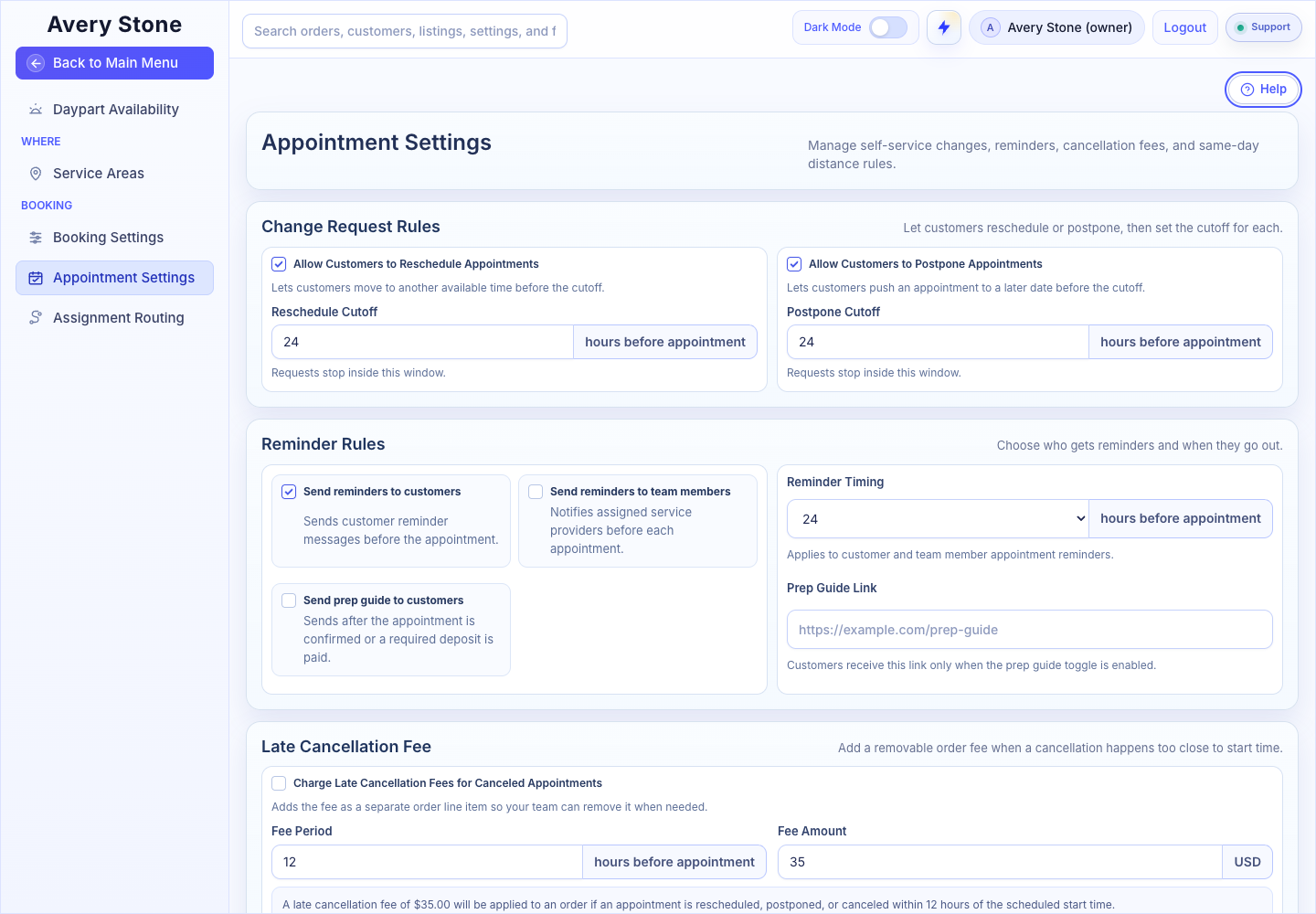
Customer Cancellation, Rescheduling, and Postponement Rules. The Avery Stone Demo workspace is shown; your saved values and available controls may differ. Open the Full-Size Image.
Change Request Rules
- Allow Customers to Reschedule Appointments: lets customers move to another available time before the Reschedule Cutoff (hours before the appointment).
- Allow Customers to Postpone Appointments: lets customers push an appointment to a later date before the Postpone Cutoff.
Requests stop inside the cutoff window.
Reminder Rules
- Send reminders to customers: sends customer reminder messages before the appointment.
- Send reminders to team members: notifies assigned service providers before each appointment.
- Send prep guide to customers: sends after the appointment is confirmed or a required deposit is paid.
- Reminder Timing: 12 or 24 hours before. It applies to customer and team member reminders.
- Prep Guide Link: customers receive this link only when the prep guide toggle is on.
These use the Appointment Reminder and Home Prep Guide templates. You can also attach a Prep Guide PDF to the prep guide template in Notifications.
Late Cancellation Fee
Turn on Charge Late Cancellation Fees for Canceled Appointments to add a removable fee when a cancellation happens too close to the start time. Set the Fee Period (hours before start) and the Fee Amount. The fee is a separate order line item your team can remove.
Smart Same-Day Distance Logic
Turn on Hide Same-Day Slots That Are Too Far from Existing Appointments and set Nearby Distance Threshold in miles. Same-day openings stay within that range of appointments already on the calendar.
Scheduling Review Requests
- Allow Scheduling Review Requests: when on, product, customer, team, and brokerage rules can ask customers for a date range instead of confirming an appointment.
- Use Distance Threshold for Review-When-Alone Products, with Default Distance Threshold (miles) and Default Drive-Time Threshold (minutes). Rules using workspace defaults trigger when either threshold is reached.
See Use Scheduling Review Requests.
Select Save Appointment Settings.